Family meal planning for iOS & Android

What's for dinner?
Sorted, together.

Chowmigo is one shared app for the whole household. It knows what's in the fridge, suggests meals you can cook with it, lets everyone vote on breakfast, lunch, dinner and dessert — and has Migo, an AI chef who writes new recipes around your family's tastes.

Free for the whole family. Chowmigo Plus unlocks Ask Migo, receipt scanning and Nutrition week.

Chowmigo pantry screen with use-soon warnings
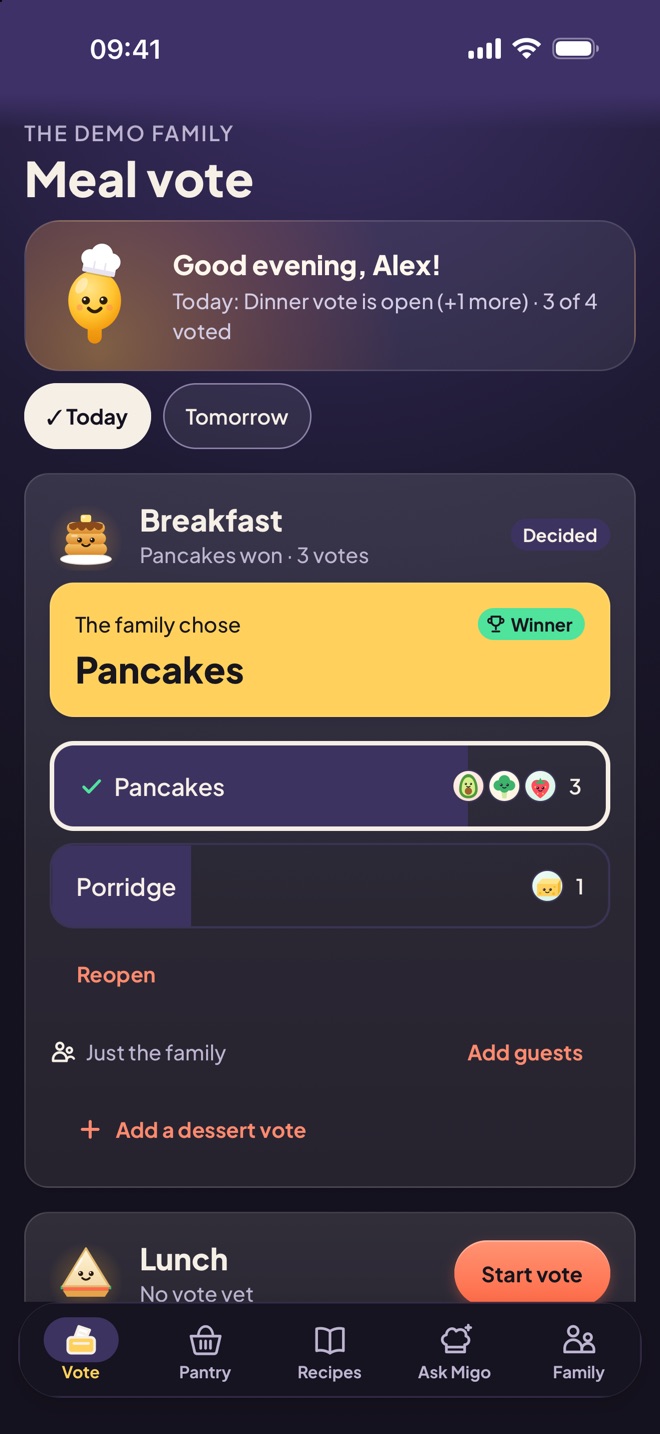
Chowmigo meal vote screen: the family chose pancakes for breakfast
Liveupdates on every phone
Scanbarcodes & receipts
Kid-safePIN sign-in, no email
GuestsGrandma counts too

Everything dinner needs

From the fridge to the family table

Meal votes

Everyone gets a say. No more debates.

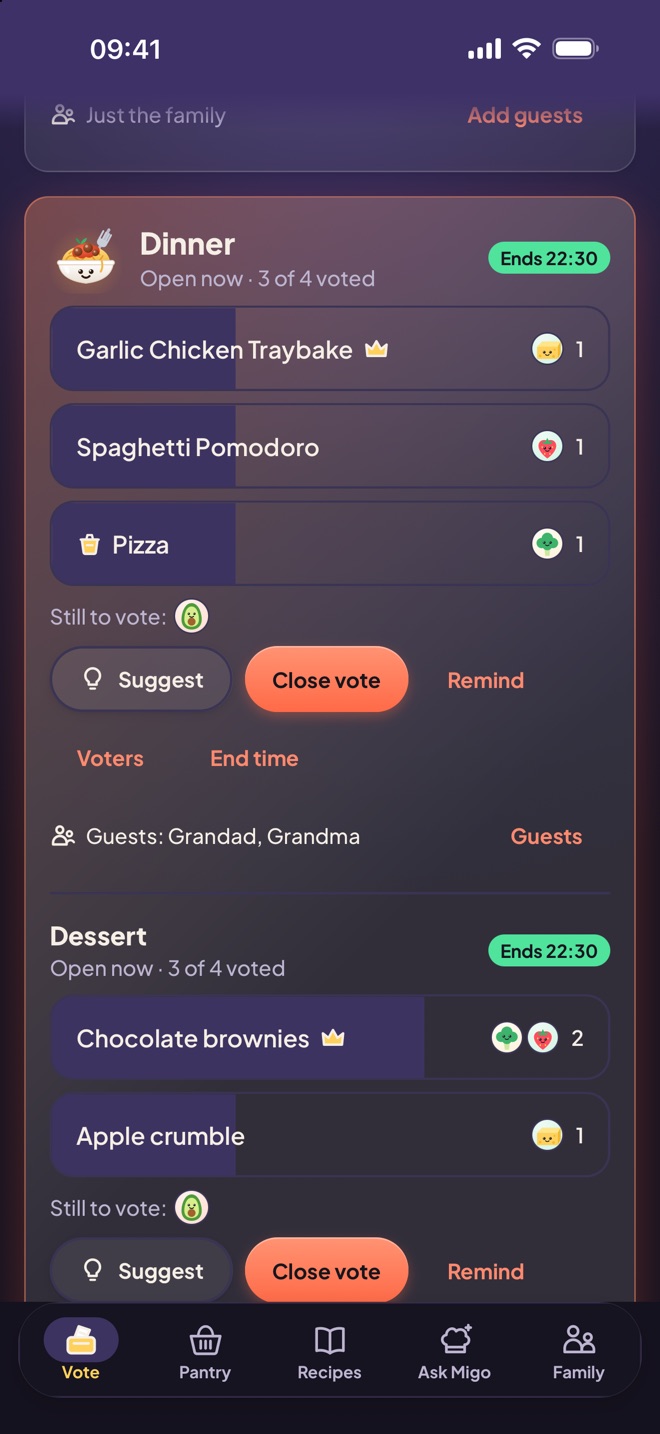
Open a vote for breakfast, lunch or dinner — and add a dessert vote if you fancy it. Everyone suggests home-cooked meals or a takeaway and votes, with live counts as they come in. The vote closes at a set time or once everyone has voted, and the winner is recorded.

  • Dessert votes alongside the main meal
  • Takeaway night? Put it to the vote
  • Add guests like Grandma and Grandad to a meal
  • Kids join in from their own device
Dinner and dessert votes with live counts, a takeaway option and guests
Pantry

Know what's in the fridge — without opening it.

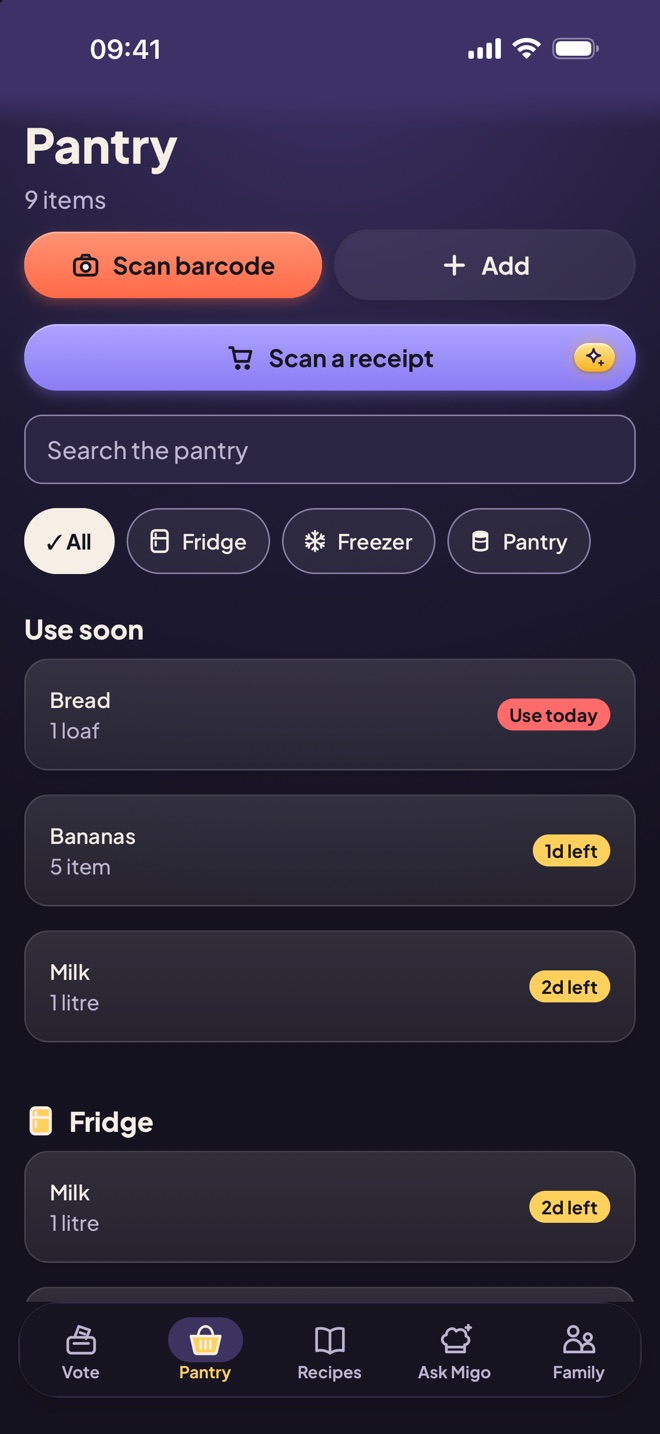
Fridge, freezer and cupboard lists with quantities and use-by dates. Scan a barcode or search by name to add food with nutrition info — or snap your shopping receipt to add the whole shop at once. "Use soon" warnings and push alerts help you waste less.

  • Barcode scanning with nutrition
  • Scan a receipt to add a whole shop Plus
  • Use-by reminders
  • Changes show up live on every phone
Pantry screen with barcode and receipt scanning and use-soon warnings
Recipes

Cook with what you already have.

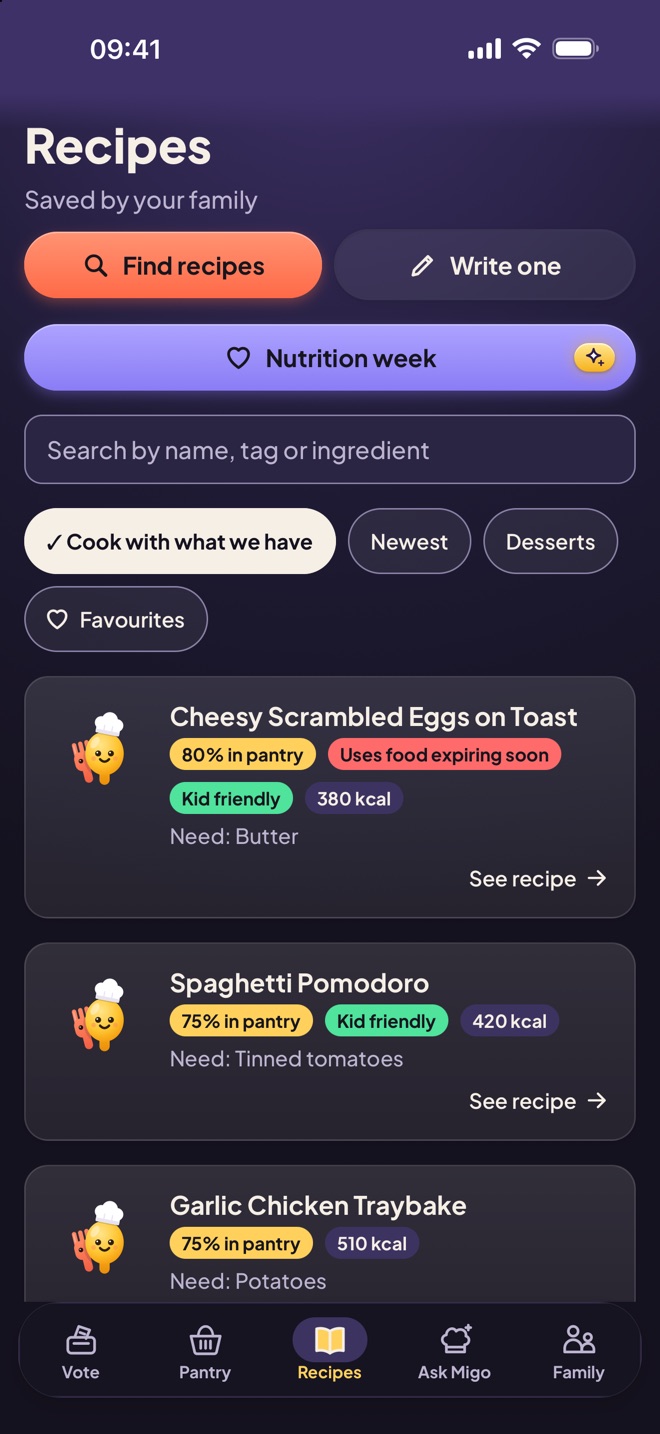
A shared family recipe book — mains and desserts — with favourites. Cook with what we have ranks recipes by how much of each one is already in your pantry. Rescale any recipe for the number of people eating, find new ones online or write down the family classics.

  • Ranked by what's in stock
  • Servings adjuster rescales ingredients
  • Log "We cooked this" after dinner
  • Nutrition week: fruit and veg variety and meal balance Plus
Recipes screen ranking meals by pantry match
Ask Migo · Plus

Meet Migo, your family's AI chef.

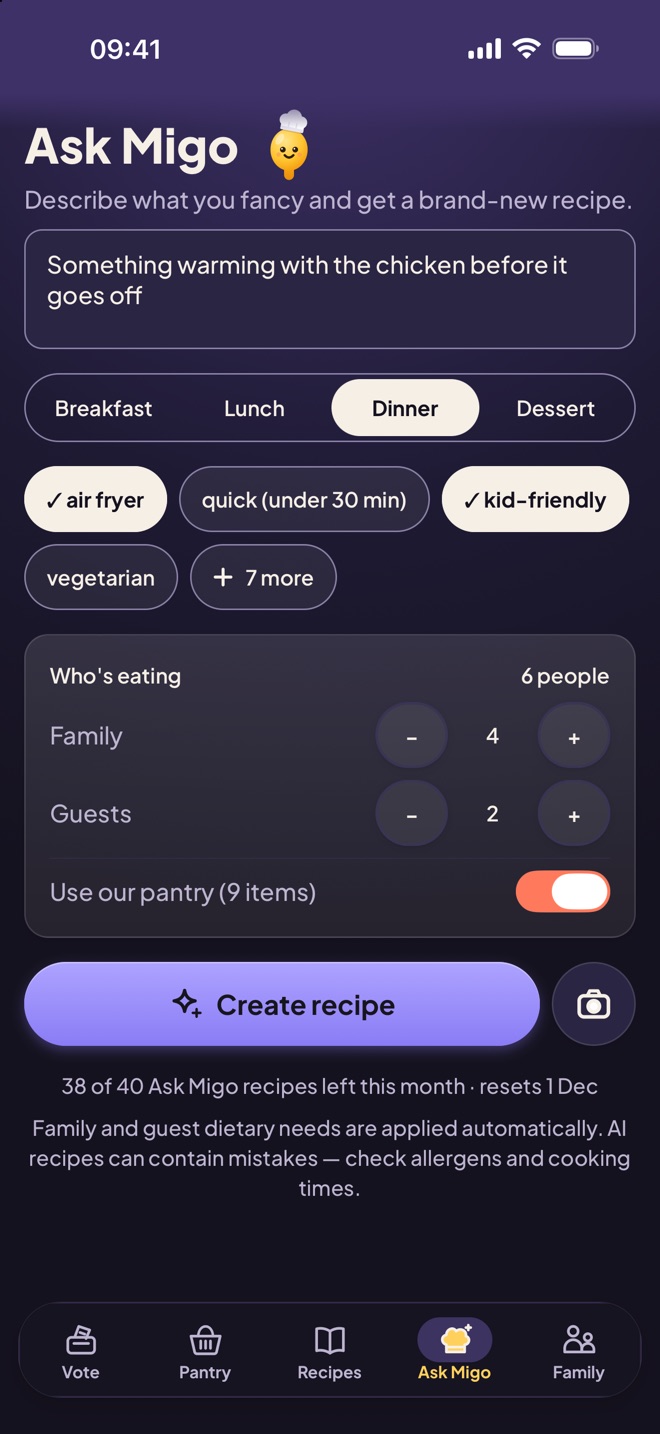
Describe a meal — something warming with the chicken before it goes off — or snap a photo of a dish to recreate, and get a full recipe in seconds. Migo sizes it for everyone eating, guests included, uses your pantry if you like and applies everyone's dietary needs automatically.

  • Breakfast, lunch, dinner or dessert
  • Recreate a dish from a photo
  • Quick, kid-friendly, one-pot, air fryer and more
  • Dietary needs applied — for guests too
Ask Migo screen: describe a meal, pick dinner, air fryer and kid-friendly, for 4 family and 2 guests

Built for families with kids

Grown-ups in charge. Kids in the fun.

Adults sign up by email and run the family. Kids need no email at all — they sign in with the family code, their avatar and a 4-digit PIN.

Simple sign-in for kids

Family code, avatar and PIN — or Face ID on a shared phone. Five wrong PINs lock the profile for 15 minutes.

Permissions that stick

Adults choose whether kids can edit the pantry and cap their daily Ask Migo use. Rules are enforced on our servers, not just hidden in the app.

Guests welcome

Add guests who never sign in — grandparents, or a friend staying for tea. They count towards servings, Migo follows their dietary needs, and they never count towards your member limit.

Face ID on shared phones

Several people can turn on biometric sign-in on the same phone. Biometric data never leaves the device.

Who can do what
AdultKid
View pantry, recipes and votesYesYes
Suggest meals and voteYesYes
Save and share recipesYesYes
Edit the pantryYesIf an adult allows
Ask MigoYesUp to a daily limit
Open or close votesYesNo
Manage members, PINs and dietsYesNo

Pricing

Free for everyday. Plus for the clever bits.

One subscription covers the whole family. The owner buys once; everyone gets Plus.

Free

£0forever

  • Pantry, barcode scanning and nutrition
  • Recipe book and "cook with what we have"
  • Meal, dessert and takeaway votes
  • Guests and push alerts
  • Up to 4 family members (guests don't count)
  • Ask Migo sample recipes
First month £3.39

Chowmigo Plus

£3.99per month

or £29.99 a year — just £2.50 a month, save 37%

  • Everything in Free
  • Unlimited family members
  • Ask Migo: 40 new recipes a month, including recreate-from-photo
  • Receipt scanning: 20 scans a month
  • Nutrition week
  • One subscription for the whole household

Subscriptions are billed through the App Store or Google Play and can be cancelled any time.

Questions

Good to know

Which phones does Chowmigo work on?

Chowmigo is built for iPhone and Android phones. iPad is supported too.

Do my kids need an email address?

No. An adult adds each child with a name, avatar and 4-digit PIN. Kids sign in with the family code, their avatar and their PIN — or with Face ID on a shared phone.

How does barcode scanning work?

Point your camera at a product's barcode and Chowmigo looks it up, nutrition included. You can also search by name. Food search shows UK products first, and adults can switch the family's region to the US or everywhere.

What is Ask Migo?

Migo is an AI chef. Describe what you fancy — or snap a photo of a dish — and Migo writes a full recipe in seconds, sized for everyone eating, using your pantry if you like and applying your family's dietary needs. Free families can try sample recipes; Chowmigo Plus includes 40 new recipes a month for the whole family.

Can we add guests to a meal?

Yes. Add guests who never sign in — like grandparents or a friend staying for tea — to any meal. They count towards servings, Migo follows their dietary needs, and regulars are saved on the Family tab. Guests never count towards your member limit.

How does receipt scanning work?

With Chowmigo Plus, take a photo of your shopping receipt and Chowmigo adds the whole shop to your pantry at once. Plus families get 20 receipt scans a month.

Does everyone in the family need to pay?

No. One Plus subscription covers everyone in the family.

Is my face or fingerprint sent anywhere?

No. Face ID, Touch ID and fingerprint checks happen on your phone. Chowmigo only stores a random sign-in key, locked behind your phone's own biometrics.

When can I download it?

Chowmigo is in testing now and launching in the UK first on the App Store and Google Play. Check back soon!

Make "what's for dinner?" the easy part.

Coming soon to the App Store and Google Play.

Get Chowmigo